
HP ProLiant BL25p Generation 2 Server Blade Maintenance and Service Guide



Removal and replacement procedures 37
Heatsink
To remove the component:
1. Power down the server blade (on page 24).
2. Remove the server blade (on page 24).
3. Remove the access panel ("Access panel" on page 25).
4. Remove the processor air baffle ("Processor air baffle" on page 29).
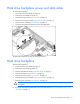
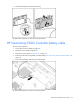
5. Remove the heatsink.
To replace the heatsink:
1. Use the alcohol swab to remove all the existing thermal grease from the processor. Allow the alcohol
to evaporate before continuing.
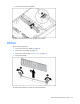
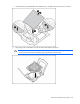
2. Remove the protective cover from the heatsink.
CAUTION: After the cover is removed, do not touch the thermal interface media.