
HP ProLiant BL25p Generation 2 Server Blade Maintenance and Service Guide






Removal and replacement procedures 27
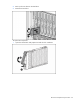
2.
Install the hard drive.
3. Determine the status of the hard drive from the hot-plug hard drive LEDs ("SAS and SATA hard drive
LED combinations" on page 57).
4. Resume normal server operations.
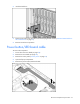
Power button/LED board cable
To remove the component:
1. Power down the server blade (on page 24).
2. Remove the server blade (on page 24).
3. Remove the access panel ("Access panel" on page 25).
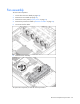
4. Open the flip-top compartment.
5. Remove the power button/LED board cable.