
HP ProLiant BL20p Generation 4 Server Blade Maintenance and Service Guide

Removal and replacement procedures 37
3.
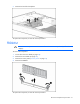
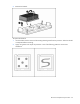
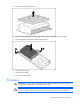
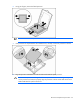
Remove the heatsink protective cover.
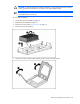
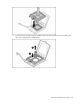
4. Align the holes in the bottom of the heatsink with the pins in the heatsink retention module.
5. Install the heatsink and close the heatsink retaining latch.
6. Install the access panel.
7. Install the server blade.
8. Power up the server blade.
Processor
WARNING: To reduce the risk of personal injury from hot surfaces, allow the drives and the
internal system components to cool before touching them.
CAUTION: To prevent possible server malfunction, do not mix processors of different speeds or
cache sizes. Refer to the label on the processor heatsink for a description of the processor.