
HP ProLiant BL20p Generation 4 Server Blade Maintenance and Service Guide

Removal and replacement procedures 35
HP Smart Array E200i Controller
To remove the component:
1. Power down the server blade (on page 24).
2. Remove the server blade (on page 24).
3. Remove the access panel ("Access panel" on page 25).
4. Remove the cache module ("HP Smart Array E200i Controller cache module" on page 34).
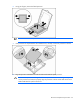
5. Disconnect all cables from the integrated array controller.
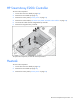
6. Remove the integrated array controller.
To replace the component, reverse the removal procedure.
Heatsink
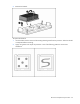
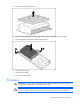
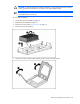
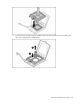
To remove the component:
1. Power down the server blade (on page 24).
2. Remove the server blade (on page 24).
3. Remove the access panel ("Access panel" on page 25).