
ProLiant BL20p Generation 3 Server Blade User Guide

Server Blade Troubleshooting
6. Connect the server blade to system power using one of the following procedures:
— Install the server blade in the server blade enclosure.
— Connect the server blade to the diagnostic station.
7. Power up the server blade using one of the following procedures:
— Press the Power On/Standby button on the front of the server blade.
— Use the virtual power button feature in the iLO remote console.
8. Wait for the POST message that prompts you to change the switch setting:
Maintenance switch detected in the "On" position.
Power off the server and turn switch to the "Off" position.
9. Repeat steps 1 through 3.
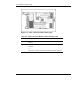
10. Change position 6 of SW2 to off.
11. Repeat steps 5 through 7.
IMPORTANT: When the server blade boots after NVRAM is cleared, a delay of up to
2 minutes is normal. During this delay, the system appears non-functional. Do not attempt
any procedures during the delay.
A-14 HP ProLiant BL20p Generation 3 Server Blade User Guide