
HP ProLiant BL20p Generation 2 Server Blade Setup and Installation Guide

Troubleshooting
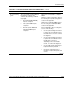
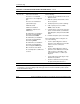
Table D-5: Is the iLO Remote Console Displaying Error Information?
Answer Solution
No An iLO problem exists. Refer to the HP Integrated Lights-Out User Guide that
ships with the server blade.
Yes Error and event logs are available for diagnosis. Determine the next action by
observing POST progress and error messages. Use the iLO system status
page or use the I/O cable connectors, depending on the server blade model, to
help determine the problem . Refer to Appendix C, “Server Error Messages,”
and the HP ProLiant Servers Troubleshooting Guide for a complete description
of POST error messages.
System Configuration Switch Procedures
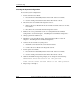
When you perform troubleshooting steps, this guide may instruct you to perform the
following procedures:
•
•
Clear the system configuration.
Access the redundant ROM.
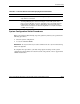
IMPORTANT: Do not perform these procedures until directed to do so by the troubleshooting
tables in this appendix.
To complete these procedures, you must change physical settings on the system
configuration switch (SW1). For switch locations and positions, refer to Appendix E,
“LEDs and Switches.”
HP ProLiant BL20p Generation 2 Server Blade Setup and Installation Guide D-11
HP CONFIDENTIAL
Writer: Amy Clute File Name: g-appd Troubleshooting.doc
Codename: Nipper Part Number: 307158-002 Last Saved On: 9/8/03 2:15 PM