
HP ProLiant BL System Common Procedures Guide

Rip and Replace or Change Rule
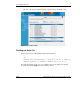
Ignore the Change—The new server blade is ignored, meaning that no jobs are
initiated. If the server blade existed in a previous bay, the history and parameters for
the server blade are moved or associated with the new bay. If the server blade is
unrecognized, its properties are associated with the bay, and the normal process
defined for new server blades, if any, is followed.
Setting up a Server Blade for Rip and Replace
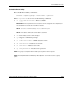
To setup a server blade for rip and replace, follow these instructions:
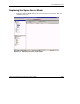
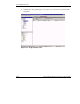
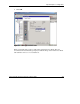
1. Open the RDP console, right click the server blade that is to perform the
deployment and select Properties.
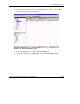
2. Scroll down to Bay Properties.
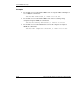
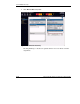
3. From the server blade change rule drop down menu select, Re-deploy
computer.
3-2 HP ProLiant BL System Common Procedures Guide
HP CONFIDENTIAL
Writer: Jennifer Hayward File Name: d-ch3 Rip and Replace or Change Rule.doc
Codename: Boston Part Number: 351360-001 Last Saved On: 12/9/03 4:24 PM