
HP ProLiant BL System Common Procedures Guide

About This Guide
This guide provides best practices, helpful hints, and suggestions on setting up and
configuring HP ProLiant BL system hardware and management tools.
Audience Assumptions
This guide is for the person who installs, administers, and troubleshoots servers. HP
assumes you are qualified in the servicing of computer equipment and trained in
recognizing hazards in products with hazardous energy levels.
Important Safety Information
Before installing this product, read the Important Safety Information document
included with the server.
Symbols on Equipment
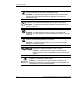
The following symbols may be placed on equipment to indicate the presence of
potentially hazardous conditions:
WARNING: This symbol, in conjunction with any of the following symbols,
indicates the presence of a potential hazard. The potential for injury exists if
warnings are not observed. Consult the documentation for specific details.
HP ProLiant BL System Common Procedures Guide v
HP CONFIDENTIAL
Writer: Jennifer Hayward File Name: a-frnt.doc
Codename: Boston Part Number: 351360-001 Last Saved On: 12/9/03 4:11 PM