
HP ProLiant BL System Common Procedures Guide

Installing the F5 Networks BIG-IP Blade Controller
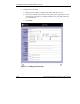
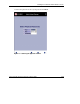
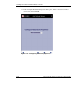
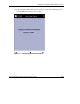
14. In the Configure Outbound Properties dialog box, select the outbound properties
and click Next. The virtual pool is complete.
Figure 1-11: Configuring outbound properties
HP ProLiant BL System Common Procedures Guide 1-21
HP CONFIDENTIAL
Writer: Jennifer Hayward File Name: b-ch1 Big IP Blade Controller.doc
Codename: Boston Part Number: 351360-001 Last Saved On: 12/9/03 4:38 PM