
HP ProLiant BL System Common Procedures Guide

Installing the F5 Networks BIG-IP Blade Controller
Automatically Activating a License Using the Configuration Utility
To automatically activate a license using the Configuration Utility:
1. Open a Web browser from the administrative workstation.
2. Open the Configuration Utility using the following address:
https://192.168.1.245
This is a default address on the server blade local area network.
3. At the logon prompt, enter the user name:
root and the password: default.
The Configuration Utility menu is displayed.
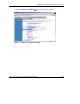
4. Click License Utility to open the License Administration screen.
5. In the Registration Key box, enter the 25-character registration key and click
Automated Authorization. The License Status screen displays status messages,
and the message “Process complete” is displayed when the licensing activation is
complete.
6. Click License Terms, review the EULA, and then accept it.
7. At the Reboot Prompt screen, select a time to reboot the server blade. You must
reboot the server blade to complete the license activation.
Manually Activating a License Using the Configuration Utility
To manually activate a license using the Configuration Utility:
1. Open a Web browser from the administrative workstation.
2. Open the Configuration Utility using the following address:
https://192.168.1.245.
This is a default address on the server blade LAN.
3. At the logon prompt, enter the user name root and the password default. The
Configuration Utility menu is displayed.
4. Click License Utility to open the License Administration screen.
5. In the Registration Key box, enter the 25-character registration key and click
Manual Authorization.
1-8 HP ProLiant BL System Common Procedures Guide
HP CONFIDENTIAL
Writer: Jennifer Hayward File Name: b-ch1 Big IP Blade Controller.doc
Codename: Boston Part Number: 351360-001 Last Saved On: 12/9/03 4:38 PM