
HP ProLiant BL p-Class System Setup and Installation Guide

Installing System Hardware
3-14 HP ProLiant BL p-Class System Setup and Installation Guide
HP CONFIDENTIAL
Writer: Christine Portillo File Name: d-ch3 Installing System Hardware.doc
Codename: ICE Part Number: 230852-002 Last Saved On: 11/20/02 4:54 PM
To install the interconnect (front of rack):
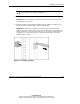
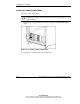
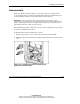
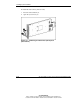
1. Press the release button (1).
2. Open the ejector lever (2).
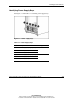
Figure 3-11: Unlocking an interconnect (RJ-45 patch
panel shown)