
HP ProLiant BL p-Class System Diagnostic Station User Guide

Using the Network Cabling Method
In addition to the diagnostic station and contents, you need to supply the following
items:
• Client PC (See the “Client PC Requirements” section for minimum software and
hardware requirements.)
• Additional network cable with RJ-45 connectors
• Hub/switch
• Deployment server or file server (optional) for operating system deployment or
file management (may be the same physical server as the DHCP server)
• DHCP server
IMPORTANT: The DHCP server assigns the IP address to the iLO NIC. The DHCP
server is not necessary if you have configured iLO and/or any other connected NICs to
use a static IP address.
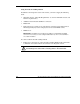
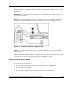
To connect with the network cabling method:
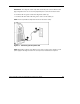
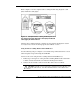
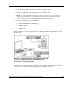
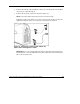
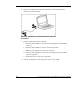
1. Follow steps 1 through 7 of “Using the Direct Cabling Method with a Client PC”
to make the connections from the server blade to the diagnostic station.
WARNING: To avoid electric shock, be sure that the AC power is disconnected
from the diagnostic station when connecting cables to the server blade.
24 HP ProLiant BL p-Class System Diagnostic Station User Guide
HP CONFIDENTIAL
Writer: Amy Clute File Name: 230859-3.doc
Codename: Nipper Part Number: 230859-003 Last Saved On: 9/10/03 8:46 AM