
HP ProLiant BL p-Class System Diagnostic Station User Guide
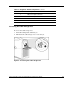
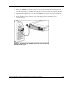
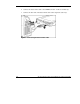
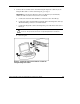

3. Place the server blade on a flat, level workspace.
4. Perform any upgrade or maintenance actions and replace the access panel.
Cabling the Diagnostic Station to a Server Blade
This document provides two methods for connecting the diagnostic station to a server
blade:
• Direct cabling methodUse either method to be sure an option is correctly
installed in the server blade. The connection can be made in one of two ways:
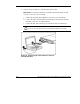
— With a client PC—Connect to iLO using either the diagnostic port or the I/O
port on the front of the server blade. This is a direct, one-to-one connection
using the diagnostic cable or the I/O cable from the client PC to iLO without
any hub/switch networking hardware. The iLO diagnostic port static IP
address can be found on the diagnostic cable or the I/O cable, but may be
changed under Network Settings in iLO. Depending on the server blade,
additional troubleshooting may be performed.
IMPORTANT: Connecting the diagnostic cable to the diagnostic port or connecting the
I/O cable to the I/O port automatically disables the iLO connection on the rear of the
diagnostic station.
— With USB devices—Connect the I/O cable to the I/O port on the front of the
server blade. This connection enables you to connect a monitor through the
video connector and various USB devices, such as a USB keyboard, USB
mouse, USB floppy, and/or a USB CD-ROM, directly to the server.
NOTE: Use of the USB hub is optional as the hub is only required when connecting three
or more USB devices. For example, you may connect a monitor to the video connector
and a USB mouse and USB keyboard to the USB connector.
• Network cabling methodUse this method to mimic a network environment and
to perform server blade configuration or advanced troubleshooting. In this
method, the client PC is connected to the iLO using a hub/switch and the network
connections of the diagnostic station. The iLO default configuration enables the
server blade to obtain its IP address from a DHCP server.
HP ProLiant BL p-Class System Diagnostic Station User Guide 15
HP CONFIDENTIAL
Writer: Amy Clute File Name: 230859-3.doc
Codename: Nipper Part Number: 230859-003 Last Saved On: 9/10/03 8:46 AM