
16AZ-0202A-WWEN - Headless Server Operations and Issues

Headless Operations and Issues 3
16AZ-0202A-WWEN
Introduction
Purpose
This paper is designed to illustrate and help users understand various issues that may be
encountered while running a headless server, and how to configure the server to minimize issues
and errors.
Background
This paper focuses primarily on issues arising from running a server in headless mode. The term
headless refers to running a server without legacy input/output devices such as keyboard, mouse
or monitor. Such servers would have to be accessed through alterative means, such as network
or serial ports. Some servers, such as the ProLiant BL line of server blades, are specifically
designed for headless operation.
Microsoft Windows 2000 issues
Microsoft Windows 2000 was not designed to run in a headless configuration. As a result, when
it is in headless mode, the following issues may be seen.
Device Manager Alerts
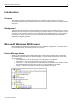
While running a headless server with Window 2000, certain devices appear with a yellow alert
(exclamation mark) beside them in Device Manager. A server without keyboard or mouse may
show the following:
• PS/2 Keyboard – This can be ignored since a keyboard is not attached.
• PS/2 Mouse – This can be ignored since a mouse is not attached.
• Com Port 1 – This can be ignored on ProLiant BL10e server blades since the BL e-Class
Server Blade Enclosure reserves Com Port 1 on each installed server blade.
• Parport – This can be ignored on servers without parallel (LPT) ports.
Table 1: Device Manager Alerts