
HP ProLiant BL e-Class System Setup and Installation Guide
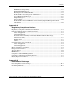
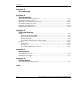
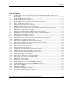
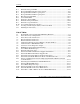

Contents
D-13 Is the Monitor Displaying Information When Connected to the Server Blade
Through the Diagnostic Adapter?.......................................................................... D-18
D-14 Problems After Initial Boot.................................................................................... D-19
D-15 Troubleshooting Resources.................................................................................... D-20
E-1 Enclosure Front Panel LEDs.....................................................................................E-2
E-2 Rear Panel LEDs with Interconnect Switch..............................................................E-4
E-3 Rear Panel LEDs with RJ-21 Patch Panel ................................................................E-7
E-4 Rear Panel LEDs with RJ-45 Patch Panel ..............................................................E-10
E-5 Hot-Plug Fan Health LEDs.....................................................................................E-12
E-6 Server Blade and Diagnostic Adapter LEDs...........................................................E-14
E-7 Enclosure Front Panel Buttons................................................................................E-16
E-8 Enclosure Rear Panel Buttons.................................................................................E-17
E-9 Server Blade Maintenance Switches.......................................................................E-18
F-1 Enclosure Operating and Performance Specifications.............................................. F-2
F-2 Hot-Plug Power Supply Operating and Performance Specifications........................ F-3
HP ProLiant BL e-Class System Setup and Installation Guide ix
HP CONFIDENTIAL
Writer: Karen Hale File Name: a-frnt.doc
Codename: MacDuff Part Number: 249068-003 Last Saved On: 5/21/03 2:58 PM