
HP ProLiant BL e-Class System Setup and Installation Guide


Deployment and Management
ROM-Based Setup Utility
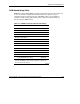
ROM-Based Setup Utility (RBSU) performs configuration activities and enables you
to view server blade configuration information. The server blades come pre-
configured and do not require interaction with RBSU, unless you would like to
change the default settings. The following table contains the default settings for
options in primary RBSU menus.
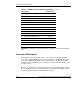
Table 4-1: ROM-Based Setup Utility Default Settings
Menu/Option Default Setting
System Options
Serial Number
Embedded NIC 1 PXE Support Enabled
Embedded NIC 2 PXE Support Disabled
IPL Device Boot Order
IPL Device Boot Order *
Boot Controller Order
Automatic Server Recovery
Automatic Server Recovery Status Enabled
Automatic Server Recovery Timeout
Thermal Shutdown Enabled
Server Passwords
Set Power-On Password Disabled
Set Administrative Password Disabled
*The boot order is CD-ROM drive, diskette drive, hard drive,
network. Availability of these devices depends on which ones
are connected to the system.
continued
HP ProLiant BL e-Class System Setup and Installation Guide 4-5
HP CONFIDENTIAL
Writer: Karen Hale File Name: e-ch4 Configuration and Deployment.doc
Codename: MacDuff Part Number: 249068-003 Last Saved On: 5/21/03 3:08 PM