
HP ProLiant BL e-Class System Setup and Installation Guide

Installing and Cabling the System
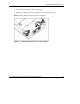
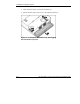
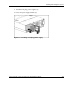
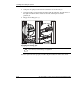
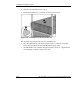
5. Insert the rear of the right rack rail into the rack at the marks you made when
measuring with the template.
NOTE: The rack rails feature “L” and “R” markings to identify the left and right rack rails
(from the front of the rack).
Figure 3-8: Inserting the rear of the rack rail
HP ProLiant BL e-Class System Setup and Installation Guide 3-9
HP CONFIDENTIAL
Writer: Karen Hale File Name: d-ch3 Installing and Cabling the System.doc
Codename: MacDuff Part Number: 249068-003 Last Saved On: 5/21/03 3:04 PM