
HP ProLiant BL e-Class System Setup and Installation Guide

Installing and Cabling the System
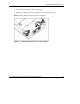
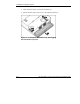
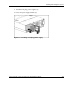
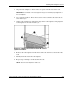
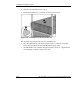
5. Press the interconnect tray release buttons (1).
6. Pull the slate blue ejector levers toward the rear of the enclosure (2).
NOTE: Slate blue indicates internal touch point components.
Figure 3-2: Pulling the interconnect tray ejector levers
HP ProLiant BL e-Class System Setup and Installation Guide 3-3
HP CONFIDENTIAL
Writer: Karen Hale File Name: d-ch3 Installing and Cabling the System.doc
Codename: MacDuff Part Number: 249068-003 Last Saved On: 5/21/03 3:04 PM