
HP ProLiant BL e-Class System Setup and Installation Guide


System Features
• ROMPaq
ROMPaq enables you to upgrade the firmware (BIOS) with system or option
ROMPaq utilities.
•
•
Online ROM Flash
Using the Smart Components for Remote ROM Flash with the Remote
Deployment Utility (RDU) console application, Remote ROM Flash enables you
to upgrade the firmware (BIOS) on a server from a remote location.
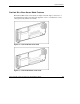
ProLiant BL e-Class C-GbE Interconnect Switch (Option)
The ProLiant BL e-Class C-GbE Interconnect Switch is one of three interconnect
tray options available for server blade network connections. The interconnect
switch concentrates the 40 10/100 Ethernet server blade network connections into
four Gigabit Ethernet uplink connectors. Each uplink can communicate with all
40 of the server network connections; thus, only one to all four of these
connectors may be used providing up to a 40-to-1 reduction in the number of
network cables connected to the enclosure. The interconnect switch is compatible
with industry standards and is fully pre-configured for immediate use.
For more information about these tools and utilities, see Chapter 4, “Deployment and
Management.”
HP ProLiant BL e-Class System Setup and Installation Guide 1-13
HP CONFIDENTIAL
Writer: Karen Hale File Name: b-ch1 System Features.doc
Codename: MacDuff Part Number: 249068-003 Last Saved On: 5/21/03 3:01 PM