
HP ProLiant BL e-Class System Setup and Installation Guide



LEDs and Switches
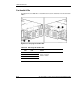
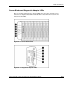
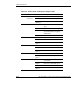
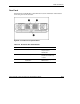
Table E-6: Server Blade and Diagnostic Adapter LEDs
Item LED Status Description
Off = Off
Blue = Identification of server blade
1 Unit
Identification
Blue
(blinking) =
Being accessed remotely
Off = Server blade off and health last
good
Green = Server blade on and health good
Amber = Server blade degraded, or power-
up prohibited by the Integrated
Administrator
2 Health
Red = Server blade critical
Off = No connection
Green = Linked to network
3 NIC 1
Blinking
green =
Linked and activity on the network
Off = No connection
Green = Linked to network
4 NIC 2
Blinking
green =
Linked and activity on the network
Off = No drive activity 5 Drive activity
Blinking
green =
Drive activity
Off = No AC power to enclosure or
server blade
Amber = Enclosure on and health good
Green = Server blade power turned on
6 Power
Blinking
green =
Server blade in standby
E-14 HP ProLiant BL e-Class System Setup and Installation Guide
HP CONFIDENTIAL
Writer: Karen Hale File Name: j-appe LEDs and Switches.doc
Codename: MacDuff Part Number: 249068-003 Last Saved On: 5/21/03 3:16 PM