
ProLiant BL e-Class C-GbE Interconnect Switch Web-based Interface Reference Guide

Configuring the Switch Modules using the Web-based Interface
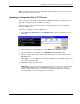
2. Type the IP address of the TFTP Server in the TFTP Server IP Address field.
3. Type the TFTP server port number in the TFTP Server Port Number field.
4. Type the file name of the firmware file for the switch module in the File Name field.
5. Click Apply to save the TFTP server IP address, TFTP server port number, and file name
into the switch module RAM.
6. Click Start to initiate the file transfer. The system automatically reboots after the file
transfer is completed.
NOTE: A downloadable smart component, which further simplifies upgrading the switch module
firmware, is available at the following website:
www.compaq.com/support/servers
Downloading a Configuration File from a TFTP Server
IMPORTANT: Configuration files used in the earlier version of the switch module (firmware version 1.0)
are not supported by the present version (firmware version 2.0). The switch module Information window
displays the firmware version.
A configuration file can be downloaded from a TFTP server to the switch module. This file is
then used by the switch module to configure itself. Beginning in firmware version 2.0.0,
switch firmware configuration files are specified in XML format.
Downloaded XML configuration files do not need to specify every possible parameter. Only
the configuration parameters specified will be modified; others will remain unchanged.
To download a configuration file from a TFTP server:
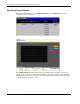
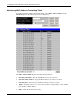
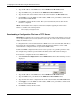
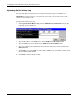
1. Select Download Configuration from the TFTP Services menu. The following screen is
displayed.
2. Type the IP address of the TFTP Server in the TFTP Server IP Address field.
3. Type the TFTP server port number in the TFTP Server Port Number field.
4. Type the file name of the configuration file for the switch module in the File Name field.
5. Click Apply to save the TFTP server IP address, TFTP server port number, and file name
into the switch module RAM.
6. Click Start to initiate the file transfer.
2-64 HP ProLiant BL e-Class C-GbE Interconnect Switch Web-based Interface Reference Guide