
ProLiant BL e-Class C-GbE Interconnect Switch Web-based Interface Reference Guide

Configuring the Switch Modules using the Web-based Interface
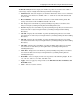
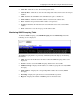
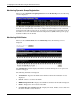
• Current Egress Ports—Displays the current egress ports on the VLAN.
•
•
•
•
•
•
Current Untagged Ports—Displays the current untagged ports on the VLAN.
Prev—Click to display the previous VLAN.
Next—Click to display the next VLAN.
Using System Utilities
TFTP services allow the switch module firmware to be upgraded by downloading a new
firmware file from a TFTP server to the switch module. A configuration file can also be
loaded into the switch module, and switch module settings can be saved to a TFTP server. In
addition, the history log of the switch module can be uploaded from the switch module to a
TFTP server.
Please note that TFTP server software must be running on the management station for the
TFTP services to function. TFTP software is available in the interconnect switch utilities
package.
The TFTP screens share the following common fields:
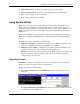
TFTP Server IP Address—Identifies the IP address of the TFTP server. This server is
common for all TFTP services. The default TFTP server is 0.0.0.0.
TFTP Server Port Address— Identifies the port number on which the TFTP server is
listening. The default is 69. The valid values are 69 and 1024-65535.
File Name—Identifies the relative path based on the TFTP servers base path. The history
log path and firmware file path are unique. The path for the download and upload
configuration options is the same.
Upgrading Firmware
IMPORTANT: The TFTP server must be running TFTP server software to perform the file transfer.
TFTP server software is included as part of the utilities package.
To upgrade the switch module firmware:
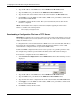
1. Select Upgrade Firmware from the TFTP Services menu. The following screen is
displayed.
The Upgrade Firmware from TFTP Server window allows you to update the path of a
new firmware file on the TFTP server.
HP ProLiant BL e-Class C-GbE Interconnect Switch Web-based Interface Reference Guide 2-63