
ProLiant BL e-Class C-GbE Interconnect Switch Web-based Interface Reference Guide

Configuring the Switch Modules using the Web-based Interface
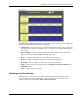
• Record Number—Select the number of times the switch module will be polled. The
setting can be between 20 and 200.
•
•
•
•
•
•
•
•
Bytes—Counts the number of bytes received on the port.
Packets—Counts the number of packets received on the port.
Unicast—Counts the total number of good packets that were received by a unicast
address.
Multicast—Counts the total number of good packets that were received by a multicast
address.
Broadcast—Counts the total number of good packets that were received by a broadcast
address.
Show/Hide—Select to display or hide unicast, multicast, or broadcast packets.
Apply—Select to apply any changes made to the Time Interval, Record Number, and
Show/Hide fields.
Clear—Select to reset the counters.
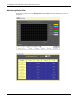
Monitoring Transmitted (TX) Packets
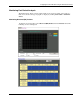
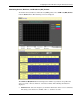
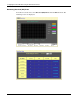
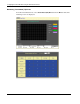
To monitor transmitted packets, select Transmitted (TX) Packets from the Packets menu.
The following screens are displayed.
2-50 HP ProLiant BL e-Class C-GbE Interconnect Switch Web-based Interface Reference Guide