
ProLiant BL e-Class C-GbE Interconnect Switch Web-based Interface Reference Guide

Configuring the Switch Modules using the Web-based Interface
Monitoring Unicast, Multicast, and Broadcast (RX) Packets
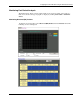
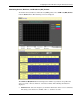
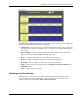
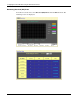
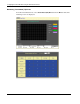
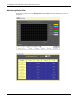
To monitor unicast, multicast, and broadcast (UMB) packets, select UMB-cast (RX) Packets
from the Packets menu. The following screens are displayed.
The UMB-cast (RX) Packets window displays the number of good bytes and packets that
were received by a unicast, multicast, or broadcast address. The following information is
displayed:
• Time Interval—Select the frequency at which the information on the screen is refreshed.
The setting can be between 1s and 60s, where “s” stands for seconds.
HP ProLiant BL e-Class C-GbE Interconnect Switch Web-based Interface Reference Guide 2-49