
ProLiant BL e-Class C-GbE Interconnect Switch Web-based Interface Reference Guide

Configuring the Switch Modules using the Web-based Interface
Monitoring Port Packet Analysis
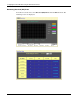
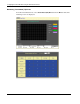
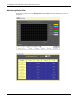
The Web manager allows various packet statistics to be viewed as either a line graph or a
table. You can select the type of graphic to display by clicking View Table or View Line
Chart.
Monitoring Received (RX) Packets
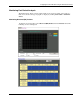
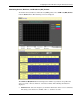
To monitor received packets, select Received (RX) Packets from the Packets menu. The
following screens are displayed.
HP ProLiant BL e-Class C-GbE Interconnect Switch Web-based Interface Reference Guide 2-47