
ProLiant BL e-Class C-GbE Interconnect Switch Web-based Interface Reference Guide

Configuring the Switch Modules using the Web-based Interface
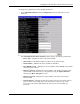
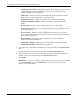
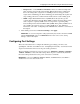
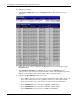
— Select 10M/HALF for port operation at 10 Mb/s and half duplex.
5. Configure the Flow Control setting for the port:
— Select On for flow control.
— Select Off for no flow control.
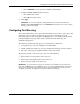
6. Click Apply.
IMPORTANT: To save the configuration settings permanently, you must enter them into the
NVRAM using the Save Changes option on the Maintenance menu. Refer to the section, “Saving
Changes,” earlier in this chapter.
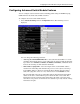
Configuring Port Mirroring
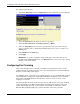
The switch module allows you to copy frames transmitted and received on a port (source) and
redirect the copies to another port (target). You can attach a monitoring device to the
mirrored (target) port, such as a sniffer or an RMON probe, to view details about the packets
passing through the source port. This setting is useful for network monitoring and
troubleshooting purposes.
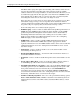
The following configuration rules apply to any port mirroring configuration:
•
•
•
•
•
•
A target mirror port cannot be configured as a trunk member.
VLAN configuration settings for any ports configured for mirroring cannot be changed.
The source and target ports should be members of the same VLAN.
The direction of traffic on the source port can be one of the following:
Ingress traffic (received packets) on the source port
Egress traffic (transmitted packets) on the source port
Ingress and egress traffic on the source port
IMPORTANT: You cannot mirror a fast port onto a slower port. For example, if you try to mirror the
traffic from a 1000-Mb/s port onto a 100-Mb/s port, you can cause throughput problems. The port from
which you are copying frames must support an equal or lower speed than the port to which you are
sending the copies. Also, the target port cannot be a member of a trunk group.
HP ProLiant BL e-Class C-GbE Interconnect Switch Web-based Interface Reference Guide 2-13