
ProLiant BL e-Class C-GbE Interconnect Switch Web-based Interface Reference Guide

Overview
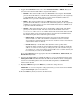
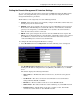
To connect to a switch module using the Web-based interface:
1. Start a Web browser, for example, Microsoft Internet Explorer version 5.5 or higher or
Netscape Navigator version 6.1 or higher.
2. Type the IP address you have defined for the switch module in the browser address bar.
The URL in the address bar should read something like:
http://10.24.22.8.
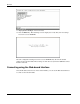
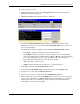
3. Press the Enter key. The Account Login screen is displayed.
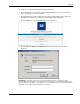
4. Press Log in. The Enter Network Password dialog box for the switch module is
displayed.
IMPORTANT: The switch module does not have any initial user names or passwords set. HP
recommends that after logging on, you create at least one Root-level user as the switch administrator.
(Refer to Table 2-1 in Chapter 2, for an explanation of user privileges.) If you forget your password after
it has been set up, call HP Customer Support for assistance.
HP ProLiant BL e-Class C-GbE Interconnect Switch Web-based Interface Reference Guide 1-7