
ProLiant BL e-Class C-GbE Interconnect Switch Web-based Interface Reference Guide

Overview
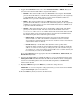
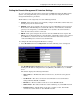
11. Highlight Save Changes on the main menu.
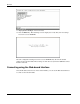
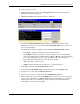
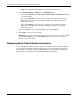
12. Press the Enter key. The following screen is displayed to verify that your new settings
have been saved to NVRAM.
After the configuration settings have been saved to NVRAM, they become the default
settings for the switch module. These settings are then used every time the GbE Interconnect
Switch is rebooted.
Connecting using the Web-based Interface
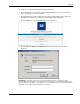
Once the IP address has been set on the switch module, you can use the Web-based interface
to connect to the switch module.
1-6 HP ProLiant BL e-Class C-GbE Interconnect Switch Web-based Interface Reference Guide