
ProLiant BL e-Class C-GbE Interconnect Switch Command Line Interface Reference Guide

Configuring the Switch Modules using the Command Line Interface
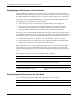
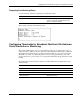
This example shows the current priority level settings for a MAC address.
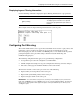
Configuring the History Log
The history log displays a list of switch events, the sequence number of each event, the time
of the event, and a description of the event.
Displaying the History Log
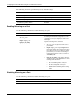
Use the following command to display the switch module history log:
Command Description
log show
[num <num>]
[item <index>]
Displays the entries in the switch history log
A defined number of entries can be displayed.
Type the following in the command, where
<num> is a set number of entries, <index> is a
sequence number of a log entry, and an asterisk
(*) means all:
• num <num>—Displays the last <num>
entries
• num *—Displays the entire history log
• item <index>—Displays 20 entries starting
with the defined index (sequence) number
• item 0—Displays 20 entries starting at the
beginning of the log
• item <index> num <num>—Displays
<num> entries starting with <index>
sequence number
• item 0 num <num>—Displays <num>
entries starting at the beginning of the log
• item <index> num *—Displays all entries
starting at <index> sequence number
2-78 HP ProLiant BL e-Class C-GbE Interconnect Switch Command Line Interface Reference Guide