
ProLiant BL e-Class C-GbE Interconnect Switch Command Line Interface Reference Guide

Configuring the Switch Modules using the Command Line Interface
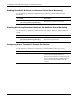
Displaying Broadcast, Multicast, DA-Unknown Storm Current Settings
Use the following command to monitor the current settings for broadcast, multicast, and
DA-unknown storm:
Command Description
monitor-storm show
Displays the monitor storm settings, including
the threshold information for broadcast,
multicast, and DA-unknown packet storm
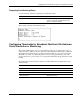
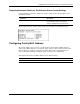
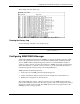
This example shows the current settings for broadcast, multicast, and unknown storm.
Configuring Priority MAC Address
The switch module can be set to force packets with specific destination MAC addresses
and/or source MAC addresses to use specific Class of Service queues. This guarantees that
those packets have a higher priority for forwarding. Refer to the “Configuring Class of
Service, Default Port Priority, and Traffic Class” section for more information.
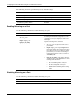
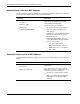
The following shows the port MAC address factory default settings:
Feature Default Value
Priority MAC Address None
HP ProLiant BL e-Class C-GbE Interconnect Switch Command Line Interface Reference Guide 2-75