
ProLiant BL e-Class C-GbE Interconnect Switch Command Line Interface Reference Guide

Configuring the Switch Modules using the Command Line Interface
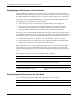
Displaying Port Mirroring Status
Use the following command to display the port mirroring status:
Command Description
mirror show
Displays mirroring information showing the
source port, target port, traffic direction, and
status of enabled or disabled
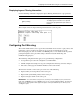
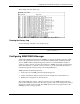
This example shows the port mirroring status.
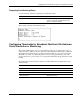
Configuring Thresholds for Broadcast, Multicast, DA-Unknown
Storm Prevention or Monitoring
The switch module allows you to set a threshold (in packets per second) for three types of
storms: broadcast, multicast, and one where the packet destination address (DA) is unknown.
The higher the threshold, the more packets the switch module can accept per second. If the
threshold is exceeded, any additional packets received are dropped. Entering a low value
means packets have a greater chance to exceed the threshold and be dropped from the switch
module.
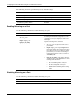
The following shows the broadcast, multicast, and DA-unknown storm monitoring factory
default settings:
Feature Default Value
Broadcast Storm Monitoring Disabled
Multicast Storm Monitoring Disabled
Destination Address Unknown Storm Monitoring Disabled
Storm Threshold 500 packets/second
HP ProLiant BL e-Class C-GbE Interconnect Switch Command Line Interface Reference Guide 2-73