
ProLiant BL e-Class C-GbE Interconnect Switch Command Line Interface Reference Guide

Configuring the Switch Modules using the Command Line Interface
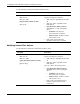
Use the following command to add unicast filter actions:
Command Description
unicast add
vlan <vlan_id>
mac <mac_addr>
type {permanent | delete-on-reset}
port <port#>
Enables unicast filter actions
Type the following in the command:
• vlan <vlan_id>—Type vlan and the VLAN
ID.
• mac <mac_addr>—Type mac and the
MAC address.
• type {permanent | delete-on-reset}—
Type type the one of the following filter
types:
• permanent—The filter stays
permanently until reconfigured.
• delete-on-reset—The filter is deleted
when the port is reset.
• port <port#>—Type port and the
destination (allow-to-go) port number.
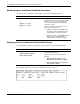
Modifying Unicast Filter Actions
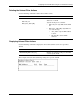
Use the following command to modify unicast filter actions:
Command Description
unicast modify
vlan <vlan_id>
mac <mac_addr>
{ [type {permanent | delete-on-reset}]
[port <port#>] }
Modifies unicast filter actions
Type the following in the command:
• vlan <vlan_id>—Type vlan and the VLAN
ID.
• mac <mac_addr>—Type mac and the
MAC address.
Type one or both of the following options:
• type {permanent | delete-on-reset}—
Type type and one of the following filter
types:
• permanent—The filter stays
permanently until reconfigured.
• delete-on-reset—The filter is deleted
when the port is reset.
• port <port#>—Type port and the port
number for which you want to make
modifications.
2-58 HP ProLiant BL e-Class C-GbE Interconnect Switch Command Line Interface Reference Guide