
ProLiant BL e-Class C-GbE Interconnect Switch Command Line Interface Reference Guide

Configuring the Switch Modules using the Command Line Interface
Setting Port Parameters
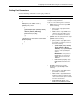
Use the following command to set the port parameters:
Command Description
port set
{
label port <port#> name <name> |
params port <portlist>
{
[speed-duplex {auto | 10-half | 10-full |
100-half | 100-full | 1000-full}] |
[flow-control {on | off}]
} |
security port <portlist> learn <max#> mode
{timeout | reset}
}
}
Configures the port names, port parameters,
and port security parameters
Type one of the following in the command:
• label—Sets the port name. Type label
and the following:
• port <port#>—Type port and the
port number.
• name <name>—Type name and a
character string description for the
port. 1-15 characters are allowed.
• params—Sets the port parameters. Type
params and the following:
• port <portlist>—Type port and the
port number or numbers, and one or
both of the following:
• speed-duplex {auto | 10-half |
10-full| 100-half | 100-full |
1000-full}—Type speed-duplex
and one of the speed-duplex
options.
IMPORTANT: If the ports are
Gigabit fiber, the only speed-
duplex options are auto and
1000-full.
• flow-control {on | off}—Type
flow-control and either on or
off.
• security—Sets the port security
parameters. Type security and the
following:
• port <portlist>—Type port and the
port number or numbers.
• learn <max#>—Type learn and the
maximum number of addresses that
can be learned at this port. A number
from 0 to 10 is allowed.
• mode {timeout | reset}—Type
mode and either timeout or reset.
HP ProLiant BL e-Class C-GbE Interconnect Switch Command Line Interface Reference Guide 2-45