
ProLiant BL e-Class C-GbE Interconnect Switch Command Line Interface Reference Guide

Configuring the Switch Modules using the Command Line Interface
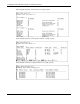
For example:
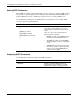
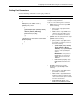
Disabling SNTP
Use the following command to disable SNTP on the switch module:
Command Description
sntp disable
Disables SNTP
SNTP must be set to disable in order to
manually set the time and date.
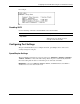
Configuring Port Settings
The port commands allow you to configure the name, speed/duplex, flow control, and
security settings for each port.
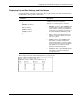
Speed/Duplex Settings
The speed-duplex parameter for each port can be set to 1000M/Full, 100M/Full, 100M/Half,
10M/Full, 10M/Half, or Auto. The Auto setting allows the port to automatically determine
the fastest setting that the device to which the port is connected can handle.
IMPORTANT: In the forced 100M/Full, 100M/Half, 10M/Full, and 10M/Half modes, auto MDI-X is
disabled and a cross-over cable must be used.
HP ProLiant BL e-Class C-GbE Interconnect Switch Command Line Interface Reference Guide 2-43