
ProLiant BL e-Class C-GbE Interconnect Switch Command Line Interface Reference Guide

Configuring the Switch Modules using the Command Line Interface
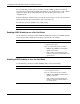
Displaying GVRP Settings
Use the following command to display the GVRP settings on the switch module:
Command Description
gvrp show
[port <portlist>]
Displays GVRP global configuration settings
For port specific configuration settings, type
port and the port number or numbers in the
command.
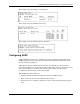
This example shows GVRP settings for a specific port.
Configuring Telnet and Web Access Settings
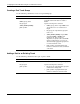
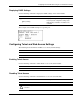
The following shows the Telnet and Web access factory default settings:
Feature Default Value
Telnet Status Enabled
Web Status Enabled
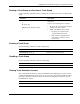
Enabling Telnet Access
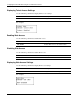
Use the following command to enable Telnet access to the switch module:
Command Description
telnet enable
Enables Telnet access to the switch module
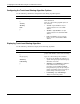
Disabling Telnet Access
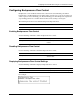
Use the following command to disable Telnet access to the switch module:
Command Description
telnet disable
Disables Telnet access to the switch module
CAUTION: If you execute this command while in a Telnet session, you will lose the
connection.
HP ProLiant BL e-Class C-GbE Interconnect Switch Command Line Interface Reference Guide 2-35