
ProLiant BL e-Class C-GbE Interconnect Switch Command Line Interface Reference Guide

Configuring the Switch Modules using the Command Line Interface
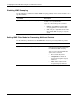
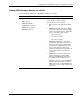
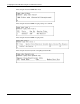
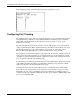
This example shows the current default CoS priority tag settings for a port.
Configuring Port Trunking
Port trunking allows several ports to be grouped together to act as a single link. This provides
a bandwidth that is a multiple of a single link bandwidth. Port trunking is most commonly
used to link a bandwidth-intensive network device or devices, such as a server, to the
backbone of a network.
The switch module allows the creation of up to six port trunk groups, each group consisting
of up to eight links (ports). HP recommends that the port trunk ports be members of the same
VLAN. Only similar type ports can be members of port trunks. A combination of Fast
Ethernet (FE) and Gigabit (GE) ports cannot be members of the same port trunk.
The configuration of the lowest numbered port in the group becomes the configuration for all
of the ports in the trunk group. This port is called the master port of the trunk group, and all
configuration options, including the VLAN configuration, which can be applied to the master
port, are applied to the entire port trunking group.
Load balancing is automatically applied to the ports in the trunked group, based on the setting
of the trunk load-sharing algorithm, and a link failure within the group causes the network
traffic to be directed to the remaining links in the group.
Spanning Tree Protocol treats a port trunking group as a single link on the switch module
level. STP uses the port parameters of the master port in the calculation of port cost and in
determining the state of the port trunking group. If two redundant port trunking groups are
configured on the switch module, STP blocks one entire group, similar to STP blocking a link
in case of two redundant links.
2-28 HP ProLiant BL e-Class C-GbE Interconnect Switch Command Line Interface Reference Guide