
ProLiant BL e-Class C-GbE Interconnect Switch Command Line Interface Reference Guide

Configuring the Switch Modules using the Command Line Interface
Displaying Auto-Logout Timer Settings
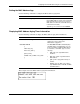
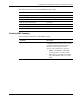
Use the following command to show the auto-logout timer settings:
Command Description
auto-logout show
Displays the current value set for the
auto-logout timer for idle timeout of the RS-232
console and Telnet management interface
sessions
For example:
Configuring MAC Address Aging Timer
The switch module enters into its forwarding table the mapping between the MAC address of
the device and the Ethernet port to which the device is attached. This information is used to
forward packets. This reduces the traffic congestion on the network, because packets are
forwarded to the destination port only, instead of being forwarded to all ports.
The MAC address aging timer prunes the forwarding table addresses entries that are no
longer used. Dynamic forwarding table entries, which are made up of MAC addresses and
their associated port numbers, are deleted from the table if they are not seen within the aging
timeout. The aging time can be from 10 to 1,000,000 seconds with a default value of 300
seconds. A very long aging time can result in dynamic forwarding table entries that are out-
of-date or no longer are used.
If the aging time is too short, however, many entries may be aged out too soon. This will
result in a high percentage of received packets whose source addresses cannot be found in the
forwarding table. In this case the switch module will send the packet to all ports, negating
many of the benefits of having a switch.
Static forwarding entries are not affected by the aging time.
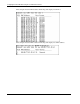
The following shows the factory default setting for the MAC address aging time:
Feature Default Value
MAC Address Aging Time 300 seconds
2-14 HP ProLiant BL e-Class C-GbE Interconnect Switch Command Line Interface Reference Guide