
ProLiant BL e-Class C-GbE Interconnect Switch Command Line Interface Reference Guide

Configuring the Switch Modules using the Command Line Interface
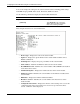
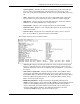
— SNTP Poll Interval—Displays the polling interval set on the switch module to
synchronize with the network time.
— Time Zone—Displays the number of hours and minutes that the time zone is ahead
(+) or behind (-) Greenwich Mean Time (GMT).
— Daylight Saving Time State—Displays if daylight saving time settings are enabled
or disabled on the switch module.
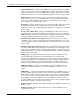
— Daylight Saving Time Start Month, Week, Day—Displays the month, week, and
day that daylight saving time is set to start.
— Daylight Saving Time End Month, Week, Day—Displays the month, week, and
day that daylight saving time is set to end.
Configuring Auto-Logout Timer
The auto-logout timer sets the time the RS-232 console and Telnet management interfaces
can be idle before the switch module automatically logs out the user.
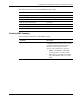
The following shows the factory default setting for the auto-logout timer:
Feature Default Value
Auto Logout 10 minutes
Setting the Auto-Logout Time
Use the following command to set the auto-logout time:
Command Description
auto-logout set time-out {0 | 2 | 5 | 10 | 15}
Sets the auto-logout timer for idle timeout of the
RS-232 console and Telnet management
interface sessions. The options are: 0, 2, 5, 10,
and 15 minutes. Zero (0) indicates never timing
out.
HP ProLiant BL e-Class C-GbE Interconnect Switch Command Line Interface Reference Guide 2-13