
ProLiant BL e-Class C-GbE Interconnect Switch Command Line Interface Reference Guide

Configuring the Switch Modules using the Command Line Interface
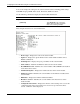
— Switch GVRP Status— Displays the GARP VLAN Registration Protocol (GVRP)
status set on the interconnect switch. GVRP allows dynamic propagation of VLAN
registration information across the GVRP-enabled switches on the same network. For
additional information, refer to the “Configuring GVRP” section later in this chapter.
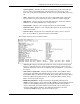
— Telnet Status—Displays the Telnet status set on the switch module. This setting
enables or disables access to the switch module over the network using the Telnet
protocol. For additional information, refer to the “Configuring Telnet and Web
Access Settings” section later in this chapter.
— Web Status—Displays the Web status set on the switch module. This setting enables
or disables management of the switch module over the Web. For additional
information, refer to the “Configuring Telnet and Web Access Settings” section later
in this chapter.
— Group Address Filter Mode—Displays the IGMP group address filter mode for
forwarding multicast packets. For additional information, refer to the “Configuring
IGMP Snooping, section later in this chapter. For additional information, refer to the
“Configuring Telnet and Web Access Settings” section later in this chapter.
— Scheduling Mechanism for CoS Queues—Displays the Class of Service queue
scheduling option set on the switch module. For additional information, refer to the
“Configuring Class of Service, Default Port Priority, and Traffic Class” section later
in this chapter.
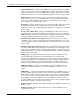
— Trunk Load Sharing Algorithm—Displays the port trunk load sharing option set on
the switch module. This setting determines if load balancing decisions will be made
based on the source MAC address, destination MAC address, or both addresses. For
additional information, refer to the “Configuring the Trunk Load Sharing Algorithm
Options” later in this chapter.
— Backpressure— Displays the backpressure option set on the 10/100 ports of the
switch module. When backpressure is enabled and there is incoming traffic
congestion on a 10/100 port, the receiving port sends a request to the transmitting
port. The transmitting port acknowledges the request and stops sending packets for a
random amount of time, before it starts sending again. For additional informtion,
refer to the “Configuring Backpressure Flow Control” section later in this chapter.
— TFTP Port Number—Displays the port number used for the TFTP server. For
additional information, refer to the “Using System Utilities” section later in this
chapter.
— SNTP Status——Displays the Simple Network Time Protocol (SNTP) status set on
the switch. SNTP allows the switch to synchronize its real time to the network time.
When SNTP is enabled, the interconnect switch sends a request to a primary SNTP
server in each period of a specified polling interval asking for the Greenwich Mean
Time (GMT). If the primary SNTP server is not available, the request is sent to a
secondary SNTP server. For additional information, refer to the “Configuring Switch
Module Date and Time” section later in this chapter.
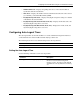
— SNTP Server1 IP—Displays the IP address for the primary SNTP server the switch
module can use.
— SNTP Server2 IP—Displays the IP address for the secondary SNTP server the
switch module can use.
2-12 HP ProLiant BL e-Class C-GbE Interconnect Switch Command Line Interface Reference Guide