
ProLiant BL e-Class C-GbE Interconnect Switch Command Line Interface Reference Guide

Configuring the Switch Modules using the Command Line Interface
The authentication protocol ensures that both the switch SNMP agent and the remote user
SNMP application program discard packets from unauthorized users. SNMP (version 1)
implements a form of security by requiring that each request include a “community string.” A
community string is an arbitrary string of characters used as a “password” to control access to
the switch module. If the switch module receives a request with a community name it does
not recognize, it triggers an authentication trap.
Traps are messages that alert you of events that occur on the switch module. The events can
be as serious as a reboot (someone accidentally reset the interconnect switch), or less serious
like a configuration file update. The switch module generates traps and sends them to the
network manager (trap recipient).
Trap recipients are special users of the network who are given certain rights and access in
overseeing the maintenance of the network. Trap recipients will receive traps sent from the
switch module, and they may take certain actions to avoid future failure or breakdown of the
network.
You can specify which network managers may receive traps from the interconnect switch by
entering a list of the IP addresses of authorized network managers. Up to four trap-recipient
IP addresses and four corresponding SNMP community strings can be entered.
In addition, the interconnect switch supports Remote Management (RMON) version 1,
groups 1 (Statistics), 2 (History), 3 (Alarm), and 9 (Event).
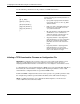
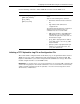
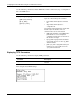
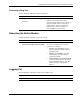
The following shows the SNMP factory default settings:
Feature Default Value
SNMP Community String
• public
• private
SNMP Community String Access Right
• public = read-only
• private = read/write
SNMP Trap Manager IP None
2-80 HP ProLiant BL e-Class C-GbE Interconnect Switch Command Line Interface Reference Guide