
ProLiant BL e-Class C-GbE Interconnect Switch Command Line Interface Reference Guide

Configuring the Switch Modules using the Command Line Interface
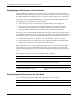
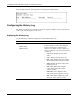
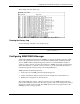
This example shows the history log.
Clearing the History Log
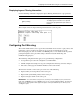
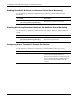
Use the following command to clear the history log:
Command Description
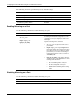
log clear
Clears the switch history log and resets the
sequence number to 1
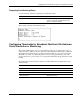
Configuring SNMP/RMON Manager
Simple Network Management Protocol (SNMP) is an Open Systems Interconnection (OSI)
Layer 7 (the application layer) protocol for remotely monitoring and configuring network
devices. SNMP enables network management stations to read and modify the settings of
gateways, routers, switches, and other network devices. SNMP can be used to perform many
of the same functions as a directly connected console, or can be used within an integrated
network management software package such as Insight Manager 7.
SNMP performs the following functions:
•
•
•
Sends and receives SNMP packets through the IP protocol
Collects information about the status and current configuration of network devices
Modifies the configuration of network devices
The switch module has software, called an agent, that processes SNMP requests. The user
program that makes the requests and collects the responses runs on the management station (a
designated computer on the network). The SNMP agent and the user program both use the
UDP/IP protocol to exchange packets.
HP ProLiant BL e-Class C-GbE Interconnect Switch Command Line Interface Reference Guide 2-79