
WESM zl 12 and 48 Radio-Port License Installation Guide 2007-07



16
5. Under the Settings heading, select Notify if updates are
available.
6. Click the Check Now button.
7. If an auto-update is available on the auto-update
screen, select and install it.
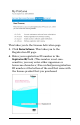
8. Select Licensing and Support > Registration and Support.
9. Enter your My ProCurve member ID and password.
(If you have not yet created your My ProCurve
account, click the link near the top of the page and
create your account. Then return to this screen and
enter your member ID and password.)
10. If your network uses a proxy server, select Global >
Network Settings and enter your HTTP Proxy and
SOCKS Host settings.
PCM is now set up to manage licenses.
Managing Licenses with PCM/PCM+
To manage your licenses using PCM or PCM+:
1. If you don’t have version 2.1 or later of PCM/PCM+
installed on your system, follow the instructions in
the preceding section to install and configure it.
2. Start PCM/PCM+.
3. Under Network Management Home select Interconnect
Devices.