
WESM zl 12 and 48 Radio-Port License Installation Guide 2007-07

12
Viewing Available Registration IDs
When you uninstall a radio-port license from a device
and enter the uninstall verification key into the My
ProCurve portal, the portal maintains your newly
generated registration ID in your My ProCurve account.
To view all the registration ID numbers in your My
ProCurve account, follow these instructions.
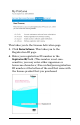
1. Open your Web browser, go to the My ProCurve
portal (http://my.procurve.com), and sign in. This
takes you to the My ProCurve page.
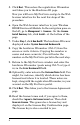
2. Click My Software. This takes you to the License
Activation page.
3. Click Device Software. This takes you to the
Registration ID page.
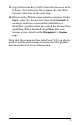
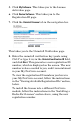
4. Click the View Available Reg IDs tab in the navigation
bar. This takes you to the Available Registration IDs
page. This page lists all registration ID numbers that
are available to you.
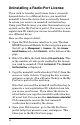
5. If you wish to use a registration ID to install a
premium license in a ProCurve device, select an
entry in the table that has a license type appropriate
for your device and click Generate License. This takes
you to the Registration ID page and fills in the
registration ID number in the appropriate field.
From here you continue the standard installation
procedure for a premium license — see step 5 of the
section on “Installing a Radio-Port License”, above.