
WESM zl 12 and 48 Radio-Port License Installation Guide 2007-07

11
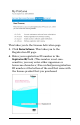
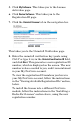
5. Click My Software. This takes you to the License
Activation page.
6. Click Device Software. This takes you to the
Registration ID page.
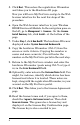
7. Click the Uninstall License tab in the navigation bar.
This takes you to the Uninstall Verification page.
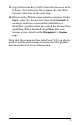
8. Enter the uninstall verification key (paste using
Ctrl-V or type it in) in the Uninstall verification ID field,
and click Next. This generates a new registration ID
number, which is displayed on the screen. The new
number is also e-mailed to you, and it is maintained
in your My ProCurve account.
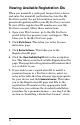
To view the registration ID numbers you have in
your My ProCurve account, follow the instructions
in the “Viewing Available Registration IDs” section,
below.
To install the license into a different ProCurve
module, follow the instructions in the “Installing a
Radio-Port License” section above, using the new
registration number.