
WESM zl 12 and 48 Radio-Port License Installation Guide 2007-07

10
Uninstalling a Radio-Port License
If you wish to transfer your license from a currently
licensed device to a different device, you must first
uninstall it from the device that is currently licensed.
In return you receive an uninstall verification key.
Using your Web browser, you enter this number in your
account on the My ProCurve portal. You receive a new
registration ID, which you can use to install the license
on a different device.
Here are the steps in detail:
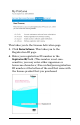
1. Open the Web browser interface to your Wireless
EDGE Services zl Module. In the navigation pane on
the left, go to Management > Licenses. On the License-
Install Summary tab, click Uninstall… at the bottom of the
page.
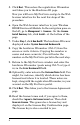
2. Enter 12 or 48 in the field labeled FG-specific-data. This
is the number of radio ports enabled by the license
you wish to uninstall. Click Lic-Uninstall. The Uninstall
Verification Key is displayed.
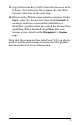
3. Copy the uninstall verification key (Ctrl-C) from the
screen or write it down. (Copying the key is easier
and more accurate.) You will enter the key on the My
ProCurve portal in the next step.
Note that you need the uninstall verification key to
generate a new registration ID, which in turn lets
you re-use your license. If you allow the device to
reboot before you copy the uninstall verification key,
all is not lost. You can use the show licenses uninstalled
CLI command to recover the last uninstall
verification key issued by the device.
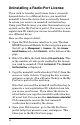
4. Open your Web browser, go to the My ProCurve
portal (http://my.procurve.com), and sign in. This
takes you to the My ProCurve page.