
WESM zl 12 and 48 Radio-Port License Installation Guide 2007-07



9
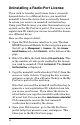
13. Copy the license key (Ctrl-C) from the screen or write
it down. You will enter the number into the Web
browser interface in the next step.
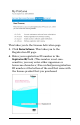
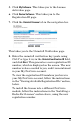
14. Return to the Web browser interface window. Under
Step 2, enter the license key, then click Lic-Install. A
message confirms a successful installation or
identifies a problem that prevented the license from
installing. When finished, click Close. The new
license is now listed on the Management > Licenses
page.
Note that the command line interface (CLI) can also be
used to install and manage licenses. See the product
documentation for more information.