
HP Switch Services Modules - HP SECBLADEII-CMW520-F3171P05 Release Notes

HP SECBLADEII-CMW520-F3171P05
Release Notes
Hewlett-Packard Development Company, L.P.
34
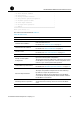
| <4> Update BootWare By Ethernet |
| <0> Exit To Main Menu |
=============================================================
Enter your choice(0-4):
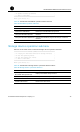
Table 15 describes the BootWare operation submenu items.
Table 15 BootWare operation submenu
Submenu items Description
<1> Backup Full BootWare Back up the entire BootWare program file.
<2> Restore Full BootWare Restore the entire BootWare program file.
<3> Update BootWare By Serial
Upgrade the BootWare program file through the serial
interface.
<4> Update BootWare By Ethernet
Upgrade the BootWare program file through an Ethernet
interface.
<0> Exit To Main Menu Return to the main menu.
Storage device operation submenu
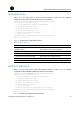
Select 9 on the main menu to enter the storage device operation submenu.
====================<DEVICE CONTROL>=========================
| <1> Display All Available Nonvolatile Storage Device(s) |
| <2> Set The Operating Device |
| <3> Set The Default Boot Device |
| <0> Exit To Main Menu |
=============================================================
Enter your choice(0-3):
Table 16 describes the storage device operation submenu items.
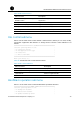
Table 16 Storage device operation submenu
Submenu item Description
<1> Display All Available
Nonvolatile Storage Device(s)
Display all available storage devices.
<2> Set The Operating Device Configure the current operating device.
<3> Set The Default Boot Device Set the default boot device.
<0> Exit To Main Menu Return to the main menu.