
HP Switch Services Modules - HP SECBLADEII-CMW520-F3171P05 Release Notes


HP SECBLADEII-CMW520-F3171P05
Release Notes
Hewlett-Packard Development Company, L.P.
26
Preparations for software upgrade
Before upgrading the software in conventional methods, set up a configuration
environment.
Setting HyperTerminal parameters
The following describes how to set HyperTerminal parameters on the PC running Windows
XP:
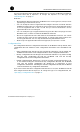
Step1 Select Start > Programs/All Programs > Accessories > Communications > HyperTerminal to
establish a HyperTerminal connection.
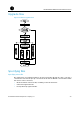
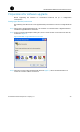
Step2 In the Connection Description dialog box, enter a name for the connection and click OK,
as shown in Figure 4 .
Figure 4 Establish a HyperTerminal connection.
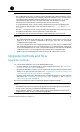
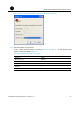
Step3 From the Connect using dropdown list shown in Figure 5 , select the serial interface to
which the console cable is connected.