
Installation and Getting Started Guide for 720wl/740wl/760wl 2004-03

Network Configuration
If you press the SELECT button while Network Config is displayed, you enter the Network Configuration
sub-menu. Repeatedly pressing the SCROLL button will cycle through the Network Configuration sub-
menu items. These are:
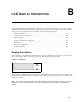
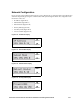
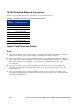
• IP Address (Figure B-12)
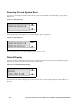
• Subnet Mask (Figure B-13)
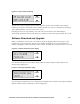
• Default Router (Figure B-14)
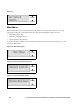
• Primary DNS (Figure B-15)
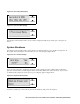
• Secondary DNS (Figure B-16)
• <Previous Menu (Figure B-17)
Figure B-12. IP Address Display
Figure B-14. Default Router Display
Figure B-13. Subnet Mask Display
Figure B-15. Primary DNS Display
SCROLL
SELECT
SCROLL
SELECT
SCROLL
SELECT
SCROLL
SELECT
HP ProCurve Secure Access 700wl Series Installation and Getting Started Guide B-5