
Installation and Getting Started Guide for 720wl/740wl/760wl 2004-03
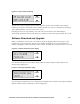
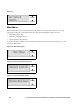
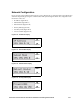
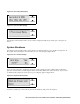
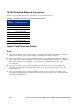

Figure B-5. Date Time/Version Display
The Date Time/Version Display shows the date and time, and the version number of the software
installed on the system. The indicator shows whether the unit is an Access Controller(AC), Integrated
Access Manager (IAM) or Access Control Server (ACS).
Each display shows for approximately 10 seconds. The system returns to this default display
automatically, regardless of the current display, if no buttons are pressed for approximately 30 seconds.
Software Download and Upgrade
When you initiate the download of a new software image, the display indicates the progress of the
download as shown in Figure B-6. This shows the number of Megabytes received compared to the
number of Megabytes in the load number (in the example, 72.8 MB). This is updated every few seconds.
Figure B-6. Software download progress display
SCROLL
SELECT
SCROLL
SELECT
Once the full load has been received, the display indicates that the image is being installed as the
alternate image (Figure B-7).
Figure B-7. New image installation display
SCROLL
SELECT
Once the image is installed, if you have requested an immediate reboot with the new image, the display
indicates when the reboot is initiated, as shown in Figure B-8.
HP ProCurve Secure Access 700wl Series Installation and Getting Started Guide B-3